
M10 introduced geometric and material nonlinearity. M11 opens the
second optional specialization: structural contact between two 3D bodies.
You will define a CONTA174/TARGE170 pair, run
CNCHECK before solving, and document gap, penetration, and closing reaction
with CSV evidence.
Your mission
You will build two stacked blocks, create the contact pair, audit the initial state, close the contact with controlled displacement, and compare three verifiable cases in CSV.
Guiding question: can you prove whether contact is open or closed before trusting the stresses?
Objectives
After completing M11, you will be able to:
- Select surfaces and generate
CONTA174andTARGE170elements withESURF. - Configure a frictionless pair with consistent
REAL,TYPE, andKEYOPTsettings. - Run
CNCHECK,AUTOand document the initial gap or penetration. - Solve with
NLGEOM,ON, ramping (KBC,0,NSUBST), and rigid-body-motion constraints. - Extract support reactions and determine
contact_closedusing a numerical criterion. - Diagnose common faults by reading the
.outfile and audit CSV.
Prerequisites and downloads
Module kit
Download every .mac script and .csv contract for this module in a single
file. Unzip the contents into your Working Directory before running MAPDL.
m11-kit.zip
· main deliverable: 11_contact_pair.mac
- M06: substeps and global equilibrium.
- M10 (recommended):
NLGEOMand nonlinear convergence. - M02: robust surface selection (
ASEL,SELTOL).
11_start.mac— starting point.11_contact_pair.mac— audited deliverable.11_bug_hunt.mac— five faults.11_challenge.mac— verifiable challenge.11_expected_results.csv— numerical contract.contact-pair-setup.svg— contact/target pair.initial-gap-penetration.svg— initial states.
How to use this lesson
| Path | Duration | Coverage |
|---|---|---|
| First win | 20–25 min | Geometry, contact pair, CNCHECK, and first CSV. |
| Complete | 70–75 min | Three cases, POST1, debugging, challenge, and mastery. |
Session map
- Mission: objectives, downloads, and prediction.
- Mental model: contact versus target, normals, and gap.
- Demonstration: geometry, pair,
CNCHECK, and solution. - Debugging: five common faults.
- Challenge: friction or gap variation.
- Mastery: final M11 test.
Prediction — What happens before SOLVE?
Two 40 × 40 × 20 mm blocks with an initial 0.5 mm gap.
| Quantity | Value | Interpretation |
|---|---|---|
| Initial gap | 0.0005 m | Open pair in CNCHECK |
| Case 1 displacement | −0.0002 m | Does not close the gap → no load transfer |
| Case 2 displacement | −0.0012 m | Closes the gap and compresses → support reaction |
| Topology | 150 nodes / 64 solids / 16+16 contact | Mesh consistent with mesh_h = 0.01 m |
Prediction: with disp = −0.2 mm, contact remains open (contact_closed = 0). With disp = −1.2 mm, it must close and produce a vertical reaction at the lower support.
Mental model — Contact pair
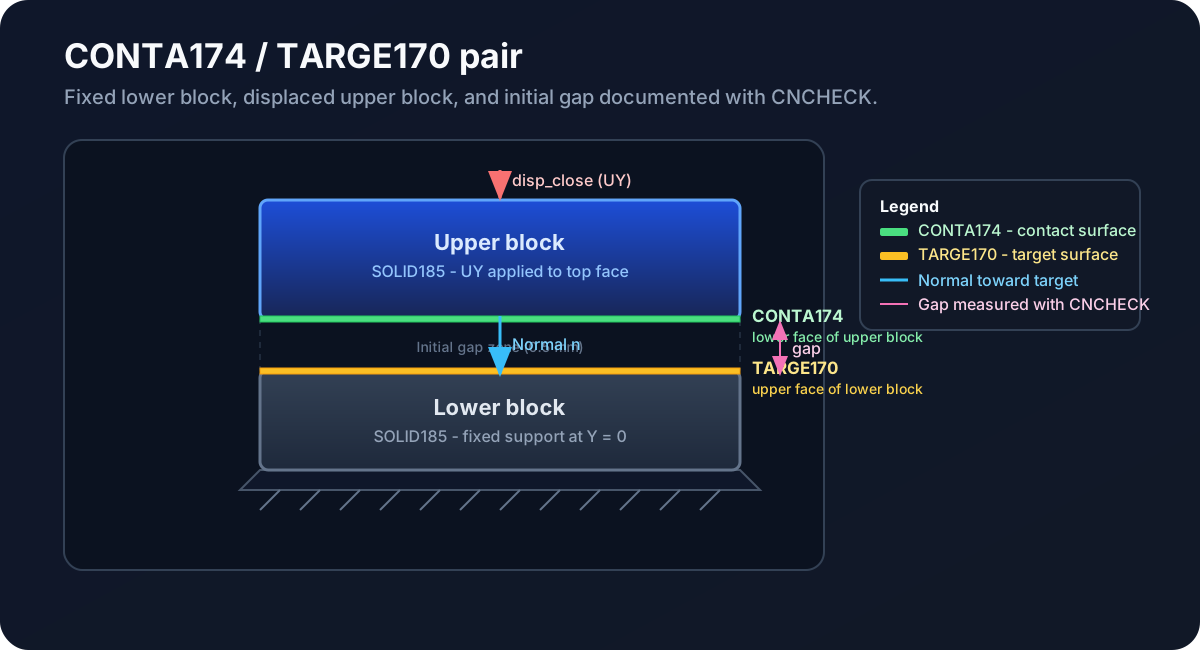
- Contact:
CONTA174— surface that may penetrate the target. - Target:
TARGE170— reference surface. - Initial state:
CNCHECKreports gaps, penetration, and open/closed pairs. - Frictionless:
KEYOPT,2,12,0in the base deliverable.
Step 1 — Geometry and mesh
BLOCK,0,block_x,0,h_lower,0,block_z
BLOCK,0,block_x,h_lower+initial_gap,h_lower+initial_gap+h_upper,0,block_z
VMESH,ALL
Use SELTOL when selecting faces at Y = h_lower and Y = h_lower + initial_gap.
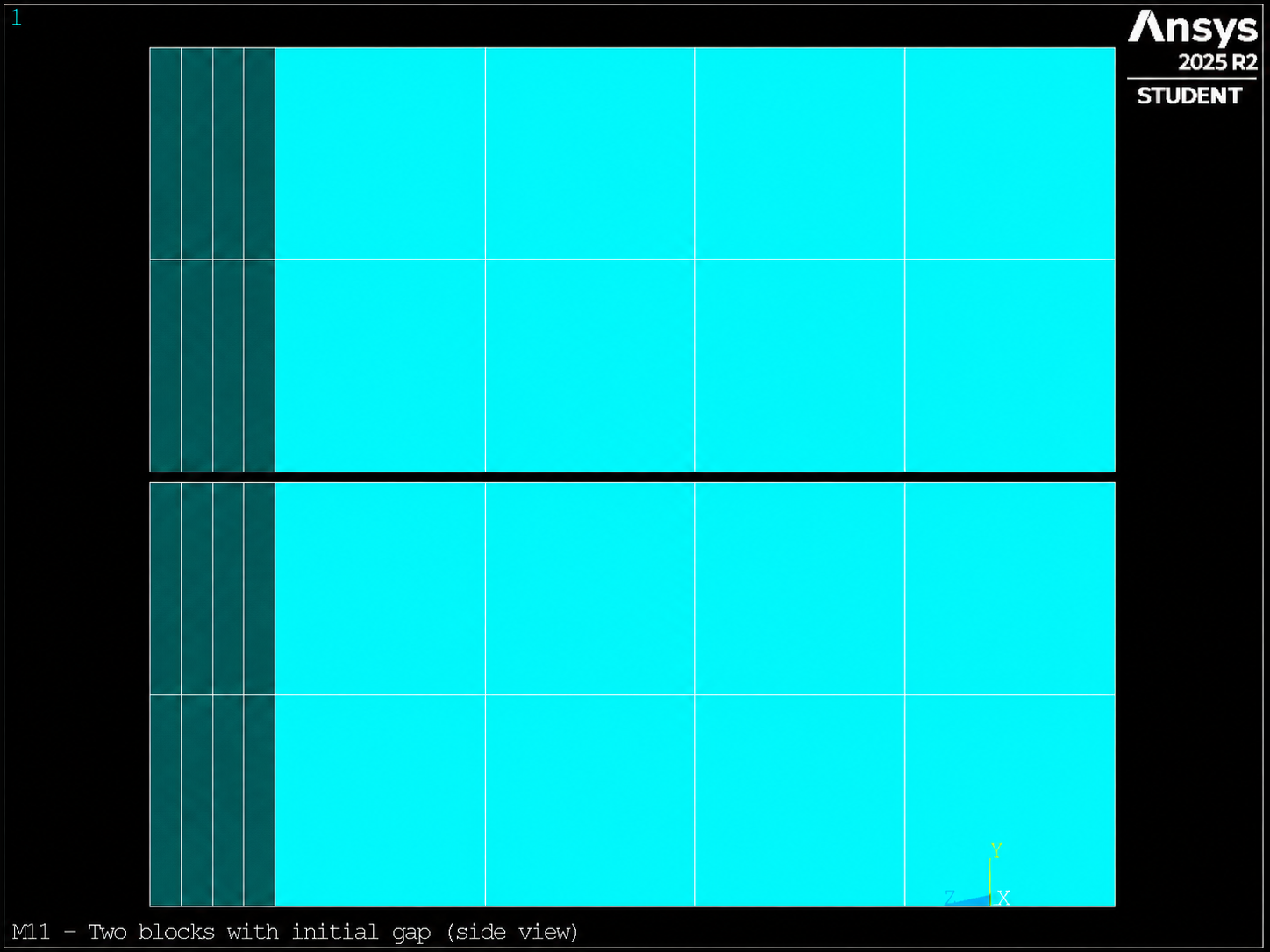
0.5 mm gap between the blocks before ESURF.Step 2 — Define the CONTA/TARGE pair
ET,2,CONTA174
KEYOPT,2,12,0
ET,3,TARGE170
TYPE,3 / REAL,2 / MAT,1
ASEL,S,LOC,Y,h_lower
NSLA,S,1 / ESLN,S / ESURF
TYPE,2 / REAL,2 / MAT,1
ASEL,S,LOC,Y,h_lower+initial_gap
NSLA,S,1 / ESLN,S / ESURF
Confirm that n_conta and n_targe are > 0 before continuing.
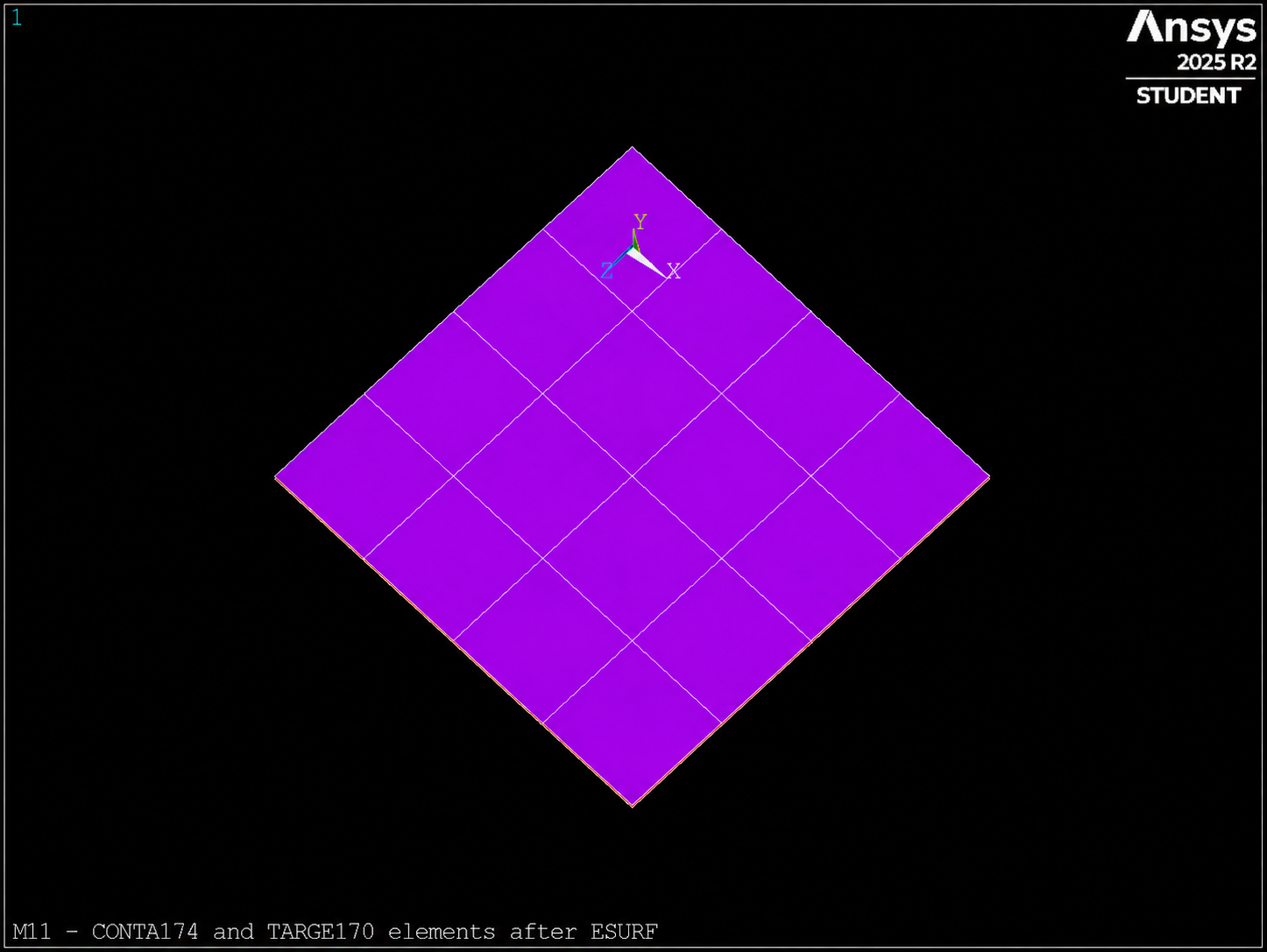
ESURF on the selected faces.Step 3 — CNCHECK and initial state
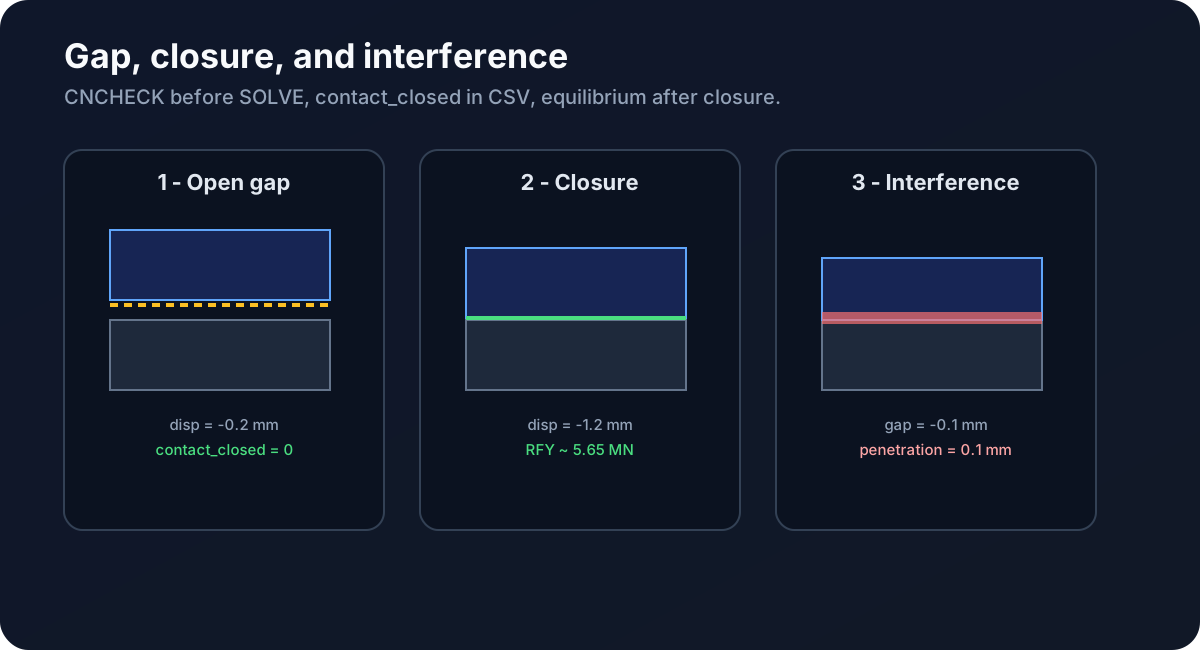
/SOLU
NLGEOM,ON
CNCHECK,AUTO
Read the .out file: minimum gap, reported penetration, and initially open or closed pairs.
Step 4 — Solve, POST1, and CSV
CMSEL,S,bottom_nodes / D,ALL,ALL,0
CMSEL,S,top_nodes
D,ALL,UY,disp / D,ALL,UX,0 / D,ALL,UZ,0
AUTOTS,OFF / KBC,0 / NSUBST,10 / SOLVE
In POST1, sum RFY at the lower support. Write m11_contact_audit.csv with contact_closed, force_error, and n_converged. Measured reference: rfy_close ≈ 5.65 MN, study_passes = 1.
Bug hunt
Five scenarios documented in 11_bug_hunt.mac:
- Contact and target surfaces swapped.
ESURFwithout a prior selection →n_conta = 0.- Omitting
CNCHECK→ undocumented initial state. - Incorrect
TYPE/REALwhile creating surface elements. - Accepting
SOLVEwithout reading reactions or contact state.
Verifiable challenge — Friction or modified gap
After validating the base deliverable, choose Challenge A (add friction with KEYOPT,2,12,1 and MP,MU) or Challenge B (increase the gap to 1 mm and adjust displacement). Predict the change in RFY or contact_closed before running.
Self-assessment
Quick questions
- What does
CNCHECKreport that does not appear in an analysis without contact? - Why do we constrain
UXandUZon the upper face while the gap is open? - When would you use friction instead of the frictionless base deliverable?
Learning evidence
m11_contact_audit.csv— three cases withpasses=1.m11_summary.csv—study_passes=1.- Excerpt from the
.outfile containingCNCHECKoutput. - Brief note explaining gap versus penetration versus closure.
Exit checklist
- CONTA/TARGE pair with consistent 16+16 counts.
CNCHECKrun before eachSOLVE.- Case 1:
contact_closed = 0. - Case 2:
contact_closed = 1andrfy_close ≈ 5.65 MN. - Case 3: documented initial penetration of
0.1 mm. study_passes=1in a clean run.
Technical traceability
Commands: CONTA174, TARGE170, ESURF, REAL, KEYOPT, CNCHECK, NLGEOM, NSUBST, *GET. Reference: Contact Technology Guide. Inherited from: M10 (substeps, NLGEOM). Next: M12 idealized bolted joints with CERIG.