
Objectives, prerequisites, and module map
M00 competency
Run an APDL script, change one controlled input, and demonstrate with evidence that the simulation finished and responded as expected.
Observable outcomes
- Configure Working Directory and Job Name.
- Run a
.macfile with/INPUT. - Recognize
/PREP7 → /SOLU → /POST1and selection as program state. - Check files, deformed shape, direction, order of magnitude, and load proportionality.
- Diagnose an incident from the visible warning and the
.outbefore correcting the model.
Prerequisites
- Basic finite element analysis concepts.
- ANSYS Mechanical APDL available; screenshots may vary slightly between versions.
- A local folder with read/write permissions.
- No prior programming experience required.
Eight module experiences
- Your first mission — understand the problem and predict the deformed shape.
- Prepare and run — configure the session and launch
/INPUT. - Your first check — confirm files, deformed shape, and direction.
- The MAPDL mental model — sequence, processors, and selection.
- From physical problem to script — engineering decisions and APDL blocks.
- Diagnose an execution — read the
.outand locate failures. - Challenge: double the load — change one input and obtain the ratio.
- Evidence and mastery — submit values and explain why they are coherent.
Realistic duration: 70–80 minutes.
Your first mission
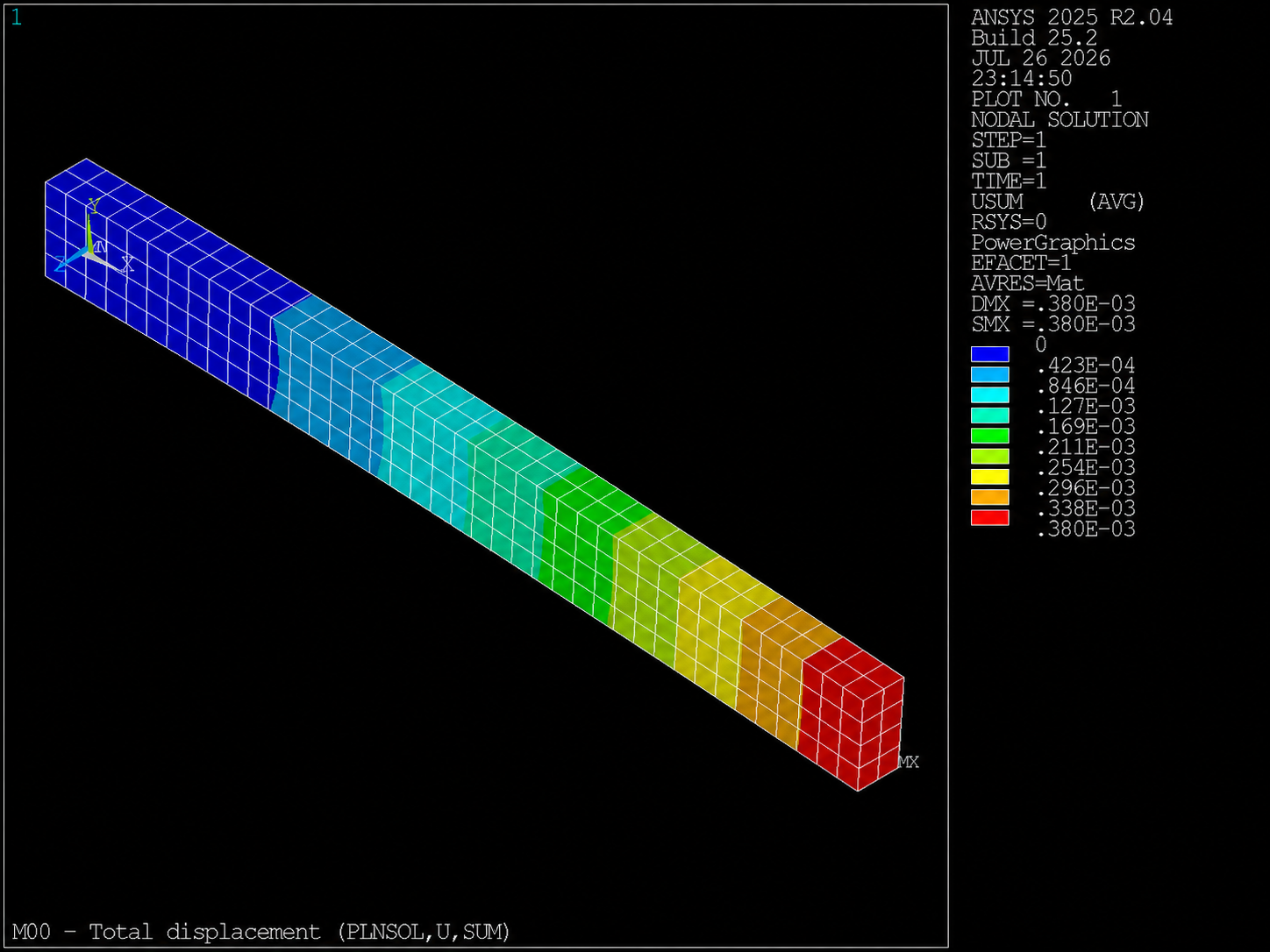
You will run a cantilever beam, check that it displaces in the expected direction, and show that its response is linear when you double the load. Your first goal is not to memorize APDL: it is to complete a real simulation cycle with defensible evidence.
Observable result: displacement and stress contours, .out and
.rst files, and a numerical ratio between two load cases that demonstrates linearity.
The template models a solid cantilever beam with these properties:
| Quantity | Value | Unit |
|---|---|---|
| Length | 1.00 | m |
| Height | 0.10 | m |
| Width | 0.05 | m |
| Young's modulus | 210·10⁹ | Pa |
| Poisson's ratio | 0.30 | — |
| Total vertical force | −1000 | N |
The end at x=0 is fixed. The total load of −1000 N acts on nodes at the free end
x=1 m. After running the script you will inspect displacements and stresses in the viewport.
Ten-second prediction
Before you run: in which direction do you expect the free end to move?
Write it down. The immediate check after /INPUT will test your engineering judgement
against the contour—not the other way around.