
Step 1 — Define the Element Type
ET,1,SOLID185
KEYOPT,1,2,0
ET,1,SOLID185 saves the formulation under type number 1.
KEYOPT,1,2,0 makes explicit the complete integration formulation with B-bar,
which is the default option. Writing the default value documents the intent;
it does not mean that the other options are interchangeable without study.
Step 2 — Define Isotropic Materials
young_steel=210E9
nu_steel=0.30
young_aluminum=70E9
nu_aluminum=0.33

MP,EX,1,young_steel
MP,PRXY,1,nu_steel
MP,EX,2,young_aluminum
MP,PRXY,2,nu_aluminum
Isotropic linear elasticity requires Young's modulus EX and Poisson's ratio
PRXY. The number after the property is the material ID, not a unit.
In the SI system of the course, 210E9 represents 210 GPa.
/UNITS doesn't convert your numbers
/UNITS,SI records the chosen system, but does not transform 210000
into 210E9. Dimensional consistency remains the responsibility of the script.
Step 3 — Activate and mesh
TYPE,1
MAT,1

BLOCK,0,beam_l,0,beam_h,0,beam_b
ESIZE,mesh_h
VMESH,ALL
Just before VMESH, the pointers say, “the next elements will be type 1
and material 1.” During meshing, each element stores those numbers. Defining material 2 does not
assign it to anything yet.
M03 Limit: ESIZE and VMESH remain
infrastructure. M04 will justify size, local controls, quality and convergence.
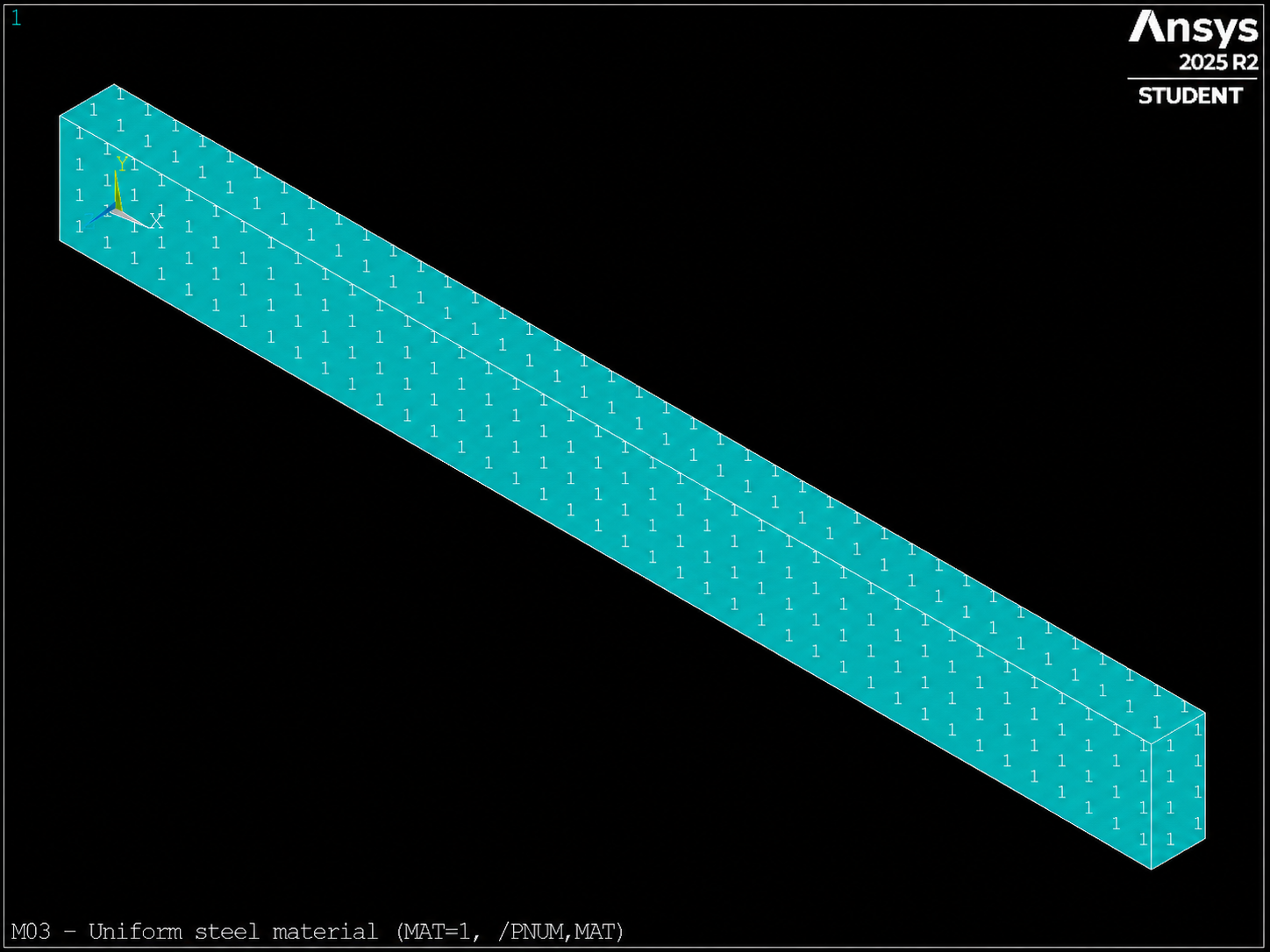
MAT=1) visible with /PNUM,MAT as a result of VMESH.