
Before you code — Predict
Suppose you run these instructions after meshing the entire beam with material 1:
MAT,2
ALLSEL,ALL
Do existing elements become aluminium? No. MAT,2
changes the material that subsequent elements will receive. It does not rewrite existing elements.
This distinction will be the common thread of the lesson.
Physical Model — Choosing Idealization
The same part can be represented by an axis, a midsurface, or its volume. Each reduction retains some information and discards other information. The most complex element is not automatically the most correct: the appropriate idealization is the simplest that answers reliably to the engineering question.
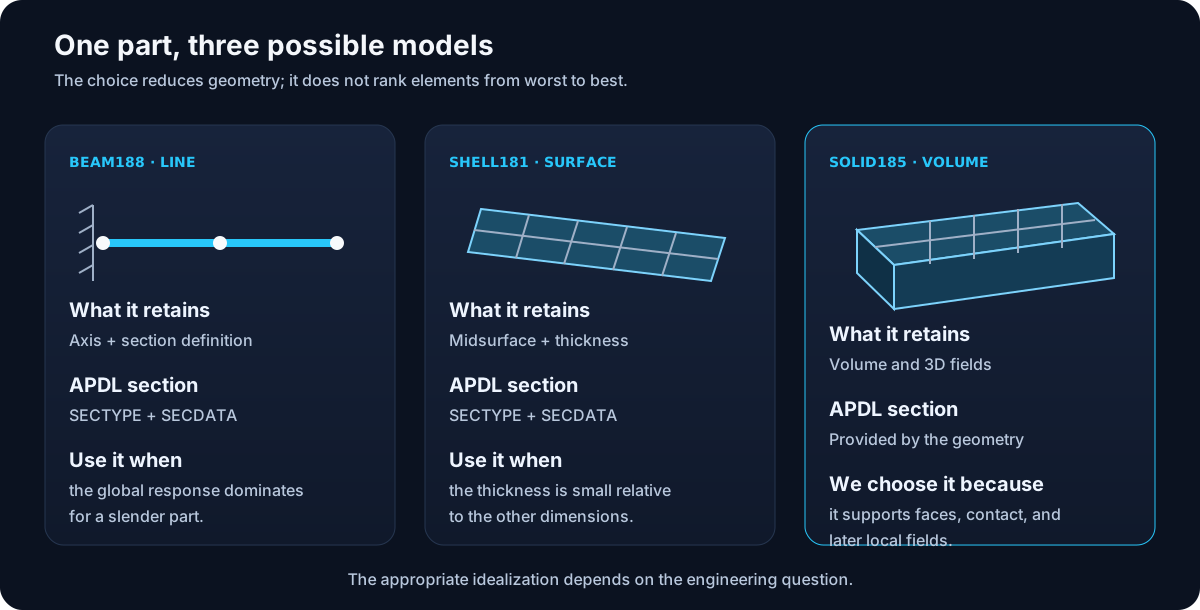
| Element | Representing | Nodal Degrees of Freedom | Section |
|---|---|---|---|
BEAM188 | Line 3D | 3 translations + 3 rotations; optional warp | It is defined with section commands. |
SHELL181 | Midsurface | 3 translations + 3 rotations | Thickness and layers defined through a section. |
SOLID185 | Volume 3D | 3 translations | The shape of the volume provides the section. |
Why we use SOLID185
SOLID185 is a solid structural element of eight nodes and three displacements
per node. We chose it because the running example will later need faces to
apply pressures, inspect local fields, and model possible interfaces. It also keeps visible the relationship between
volume, elements and nodes that you learned in M02.
A didactic decision is not a universal rule
For the overall displacement of a slender beam, BEAM188 can be more efficient
and appropriate. A solid 3D demands proper resolution of its mesh and boundary conditions.
M04 will study that responsibility.
Sections: When they appear
A line or surface alone does not contain all the transverse geometry:
! Conceptual beam example
ET,2,BEAM188
SECTYPE,1,BEAM,RECT
SECDATA,beam_b,beam_h
TYPE,2
SECNUM,1

! Conceptual shell example
ET,3,SHELL181
SECTYPE,2,SHELL
SECDATA,thickness
TYPE,3
SECNUM,2
SECTYPE starts the definition, SECDATA provides their data and
SECNUM activates the number for subsequent elements. In our
BLOCK, width and height are already part of the volume; adding an additional section
for SOLID185 does not add physical information.